
Webhooks
A webhook is an address on the hub that other services can call. Each call becomes a log entry your phone receives, and can also run a script of yours. Use one for build servers, monitoring services, home automation, or anything else that can send an HTTP request when something happens.
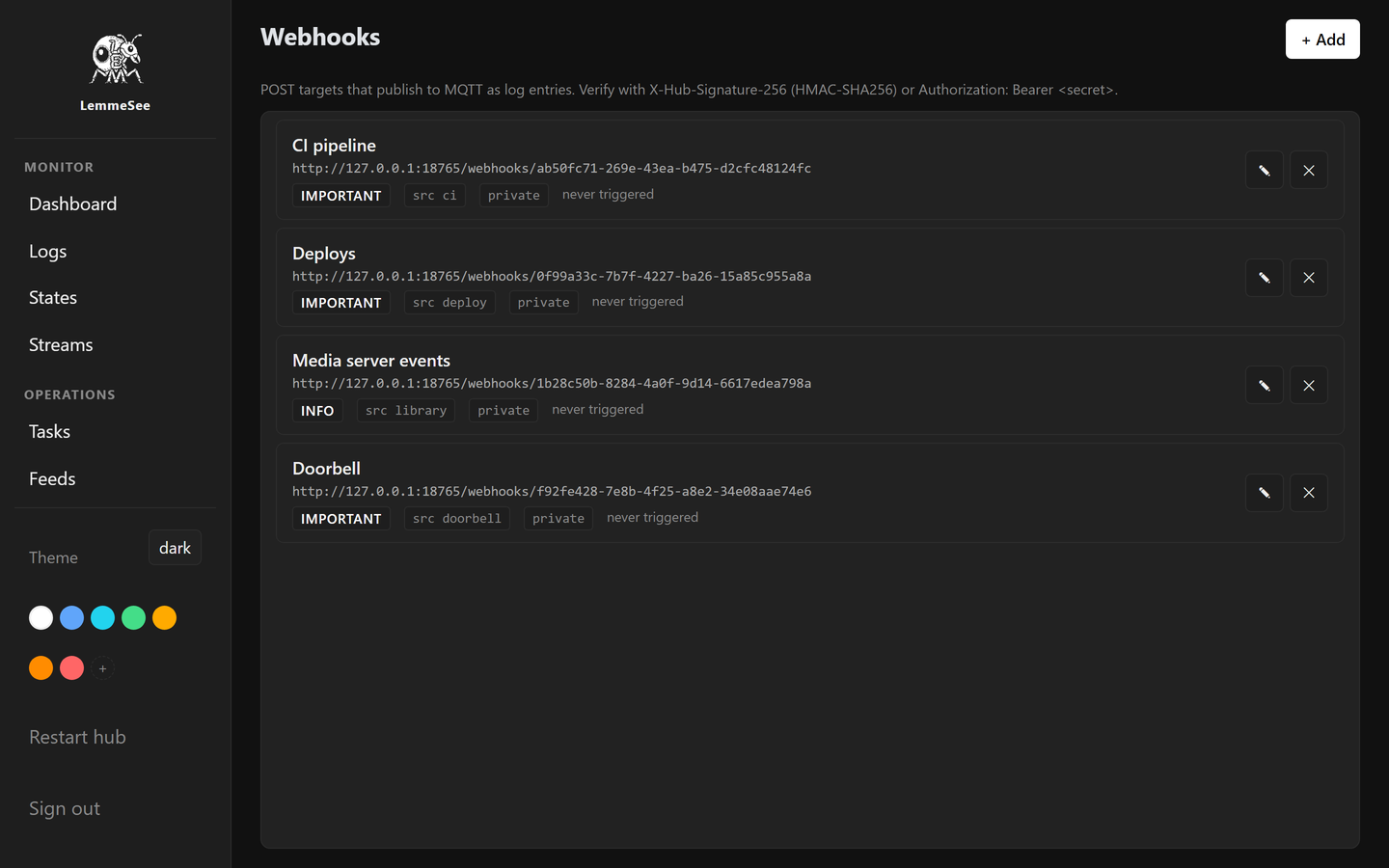
Adding a webhook
Open the Webhooks page and choose + Add.
| Field | Default | Meaning |
|---|---|---|
| Name | required | A label for the webhook, such as build-agent. |
| Secret key | required | A long random string the caller proves it knows. See Authentication below. |
| Log level | important | Level of the log entry each call produces: important, warning, error, or info. |
| Source name | webhook | The log source the entries are filed under. |
| Handler | none | A webhook script to run on each call. Only shown when webhooks_path is set and holds scripts. |
| Enabled | on | A disabled webhook answers 404 until you turn it back on. |
| Private | off | Lists the webhook only for users with access to private webhooks. |
Each webhook card shows its address, level, source, handler, and when it was last called. Click the address to copy it. To change a webhook, choose the pencil on its card. Every field can be edited and the address stays the same. Leave Secret key blank to keep the current secret.
Calling a webhook
POST http://192.168.1.10:8765/webhooks/{webhook_id}{webhook_id} is the id the hub assigned, shown in the address on the card. Use the hub's HTTPS address instead when calling from outside your network (see Remote access).
Authentication
Send one of these headers:
| Header | Value |
|---|---|
X-Hub-Signature-256 | sha256= followed by the hex HMAC-SHA256 of the raw request body, keyed with the secret. GitHub and many other services send this. |
Authorization | Bearer followed by the secret. |
Webhooks don't use your hub username or access key.
Payload
The body can be anything. The hub turns it into the log message like this:
- If the body is a JSON object with a
bodyfield, that field is the message. - Otherwise, if it has a
messagefield, that is the message. - Otherwise the message is the first 200 characters of the JSON.
- If the body isn't JSON, the message is the first 200 characters of the text.
curl -X POST http://192.168.1.10:8765/webhooks/{webhook_id} \
  -H "Authorization: Bearer your-long-random-secret" \
  -H "Content-Type: application/json" \
  -d '{"message": "Build 412 passed"}'
The log entry goes to the private log channel, under the webhook's source and at its level. See Permissions and grants for who receives private sources.
Responses
| Status | When |
|---|---|
200 with {"ok": true} | The call was accepted and the log entry sent. |
403 | No authentication header, or the signature or secret is wrong. |
404 | No webhook has that id. |
429 | More than 60 calls in a minute from the same address. |
Webhook scripts
When webhooks_path in config.json points at a folder, the hub loads every .py file there that has a handle function. Each one can be used in two ways.
As a handler, picked when you add a webhook: on each call, after the log entry is sent, the hub runs the script with the request's JSON body. The caller gets {"ok": true}; the script's return value isn't sent back. If the script raises an error, the caller gets a server error instead, although the log entry has already been sent. If the body wasn't a JSON object, the script receives an empty dict. If the handler named on a webhook can't be found, the hub logs an error under the webhook's source and still answers {"ok": true}.
As its own endpoint, at POST /webhooks/{name}, where {name} is the file name without .py. This route takes your hub credentials instead of a webhook secret (X-Username and X-Access-Key headers, or a call from the hub PC itself while local_admin is on), passes the JSON body to handle, and returns whatever handle returns as the JSON response. The request body must be JSON.
def handle(body: dict) -> dict:
    name = body.get("name", "world")
    return {"ok": True, "greeting": f"Hello, {name}"}
handle can also be async def. Scripts are loaded once, when the hub starts: restart the hub after adding or changing one. If a script fails to load, the hub skips it and carries on.
Testing
POST /api/echo accepts any body, publishes echo: ... as an important log entry from the source webhook-echo, and answers {"ok": true, "received": ...}. It takes your hub credentials. Use it to check that the phone receives webhook-style entries, or to try out a custom action in LemmeKnow. See Custom actions.