
Approvals
An approval request lets something on the hub stop and ask a person before it carries on. The request appears on the phones of the users it's meant for; whoever answers first picks an option, and fills in any fields the request asks for, and the answer goes straight back to whatever asked. If nobody answers before the request times out, it expires with no answer.
Requests can carry their own buttons, text fields, checklists, and text, links, and images to explain what's being asked. Answering them on the phone needs LemmeKnow Premium; see Approvals in the app guide.
Approval requests are different from the action buttons a feed item can carry. Those are covered in Server feeds.
Who receives a request
A request goes to one of three audiences:
| Audience | Who sees it |
|---|---|
| One user | Only that user, on every phone signed in as them. |
| Public | Every user, unless actions.public is revoked from them. |
| Private | Only users granted actions.private. The Developer preset includes it. This is the default. |
On the phone
Requests appear on the app's Dashboard under the hub that sent them, and each phone's Accept Requests setting for the hub decides whether they arrive; see Approvals in the app guide for answering, notifications and that setting.
On the hub
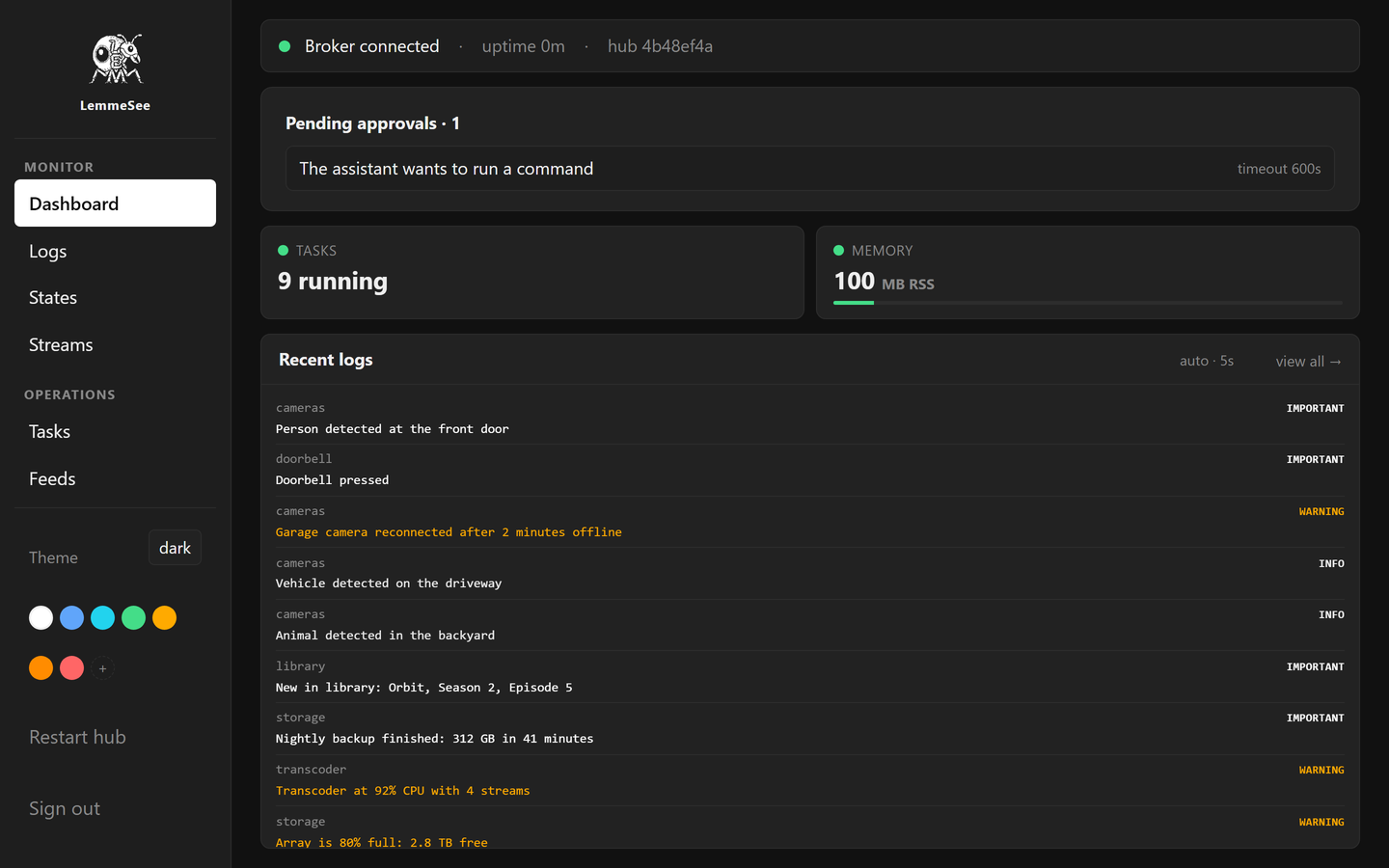
The hub's Dashboard shows the requests still waiting for an answer, with their timeouts, to users who can edit tasks. GET /api/actions lists the requests sent since the hub started and whether each is pending, resolved or expired.
Sending a request from a script
POST /api/actions/test sends a request, waits until it's answered or times out, and returns the answer. It needs sections.tasks.edit (see Permissions and grants). Because the call waits, give your HTTP client a timeout longer than the request's.
curl -X POST http://localhost:8765/api/actions/test \
  -H "X-Access-Key: YOUR_ACCESS_KEY" -H "X-Username: alice" \
  -H "Content-Type: application/json" \
  -d '{
    "description": "Restore the nightly backup to the test server?",
    "timeout": 300,
    "options": [
      {"label": "Restore", "value": "restore", "style": "positive"},
      {"label": "Skip", "value": "skip", "style": "negative"}
    ],
    "inputs": [
      {"id": "note", "type": "text", "label": "Note (optional)"}
    ],
    "content": [
      {"type": "text", "level": "info", "text": "Backup size: 42 GB"}
    ]
}'| Field | Meaning |
|---|---|
description | The question, shown as the request's title. |
timeout | Seconds to wait for an answer. Default 120. |
visibility | private (default) or public. |
user_id | Send to this one user instead. Use the id from the user list. |
options | Buttons, each {label, value, style}. The answer's choice is the tapped button's value. A style of negative shows the button as destructive. Leave options empty for Approve and Deny, which answer approve and deny. |
inputs | Fields to fill in, each {id, type, label}. type is text or checklist; a checklist also has items, the list of choices. Add option_id to show a field only when that option's value is selected. |
content | Blocks shown above the buttons: {"type": "text", "text", "level"}, {"type": "link", "label", "url"} or {"type": "image", "url"}. |
The answer looks like this:
{"choice": "restore", "inputs": {"note": "Go ahead"}, "approved": false}inputs holds each field's value under its id. approved is true only when the choice is approve. A request that times out returns an empty choice, empty inputs and approved: false.