
RSS and Atom feeds
LemmeKnow can follow any public RSS or Atom feed and run your rules against each item it finds. RSS and Atom feeds are part of the free tier. For feeds published by your own hub, see Feeds.
Adding a feed
On the Dashboard tab, tap + on the Feeds header to open Add Feed, fill in the fields and tap Save. LemmeKnow checks the feed straight away.
| Field | Description |
|---|---|
| Display Name | Required. Shown on the Dashboard, the Monitor tab and in notifications, for example "Release notes". |
| RSS / Atom URL | Required. The address of the feed, for example https://example.com/feed.xml. RSS 2.0 and Atom are both detected automatically. |
| Feed Icon | Optional. Choose Image picks a picture from your gallery. If you don't choose one, LemmeKnow fetches the feed's own image or the site's icon. |
| Poll every (min. 15 minutes) | How often to check for fresh items. 60 minutes if left blank. Values under 15 are raised to 15. |
| Keyword Filter | Optional, case-insensitive. Items whose title or body don't contain this text are dropped before any rule sees them. |
| Auto-scroll to latest | Scrolls the Monitor tab to fresh items as they arrive. |
| Unread display | None, Monitor (an unread count and a divider where unread items start) or Monitor + App (also a count on the app icon). |
| Show in monitor | Shows item thumbnails in the Monitor list. |
| Include in notifications | Adds the item's thumbnail to its notification when it can be loaded. Off by default. |
How checking works
LemmeKnow checks each feed on the interval you set, only when the phone has a network connection. Android may run a check a few minutes later than scheduled to save battery. If a check fails, it is retried after a short wait. Shorter intervals give you faster notifications but use more battery.
Items are matched by their unique id, so an item is only counted once. LemmeKnow keeps up to 200 items per feed; older ones are dropped. The first batch of items fetched for a feed arrives quietly, so adding a feed doesn't notify you about everything already in it.
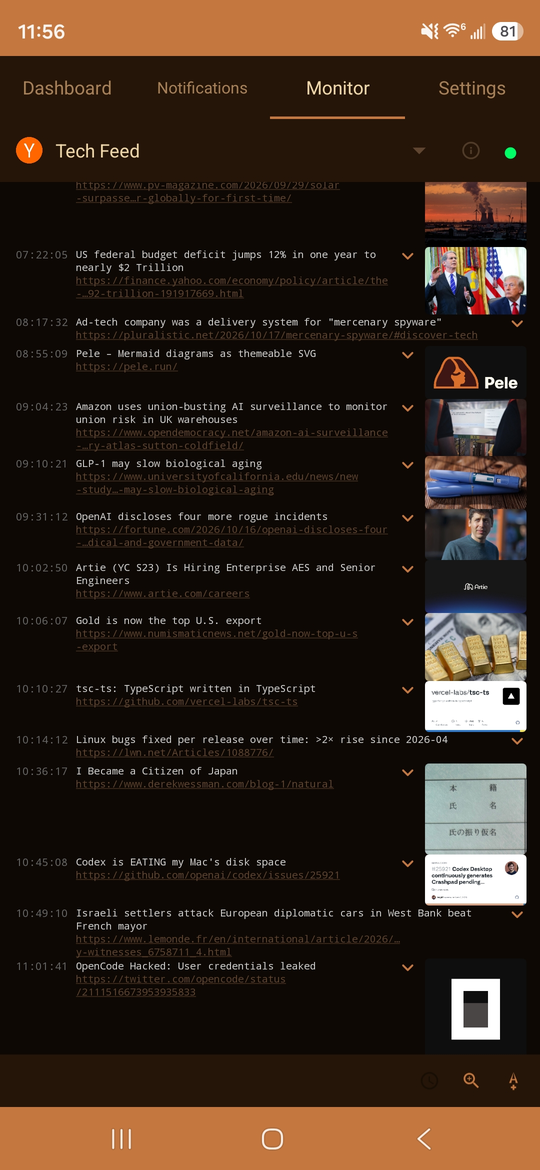
LemmeKnow picks up item thumbnails from the feed's media and enclosure entries, or from the first image in the item's text. LemmeSee hubs can supply filters that drill further down to grab thumbnails as well.
Feeds and rules
Each fresh item that passes the keyword filter is checked against your rules. To target a feed, pick it as the rule's channel, or use Any Feed. Inside a rule, the item's source is the feed's domain without www., so items from https://www.example.com/feed.xml have the source example.com.
When a notify rule matches, the notification's title is the feed name in square brackets, for example [Release notes], and its text is the item title. Tapping it opens that item on the Monitor tab. See Notification rules.
Standard feed items never appear in a server's message stream.
Reading feeds
On the Monitor tab, pick the feed from the channel list to see its items with their titles, the link to the original article (tap to open it in your browser), and thumbnails. The Dashboard row shows the last check result and recent items; see Feeds. You can also place a feed on your home screen with the Feed widget; see Widgets.
Editing and deleting
Long press the feed's row on the Dashboard to open the editor.
- Saving an RSS feed clears its stored items and checks it again.
- Repoll Feed checks the feed right away without waiting for the interval.
- Delete Feed asks you to confirm, then removes the feed, its items, and its icon.
Filtering on your hub
With Premium and a connected LemmeSee hub, you can have the hub fetch an RSS or Atom feed and run it through a chain of filters before it reaches your phone. See Filter feeds.