
Streams
The hub can front live video streams, such as cameras or a screen, so phones and browsers can watch them through the hub. The video itself comes from a media broker; the hub supports go2rtc. The hub lists the broker's streams, controls who can see each one, and passes the player through its own address, so viewers only need to reach the hub and the broker can stay private to the hub machine.
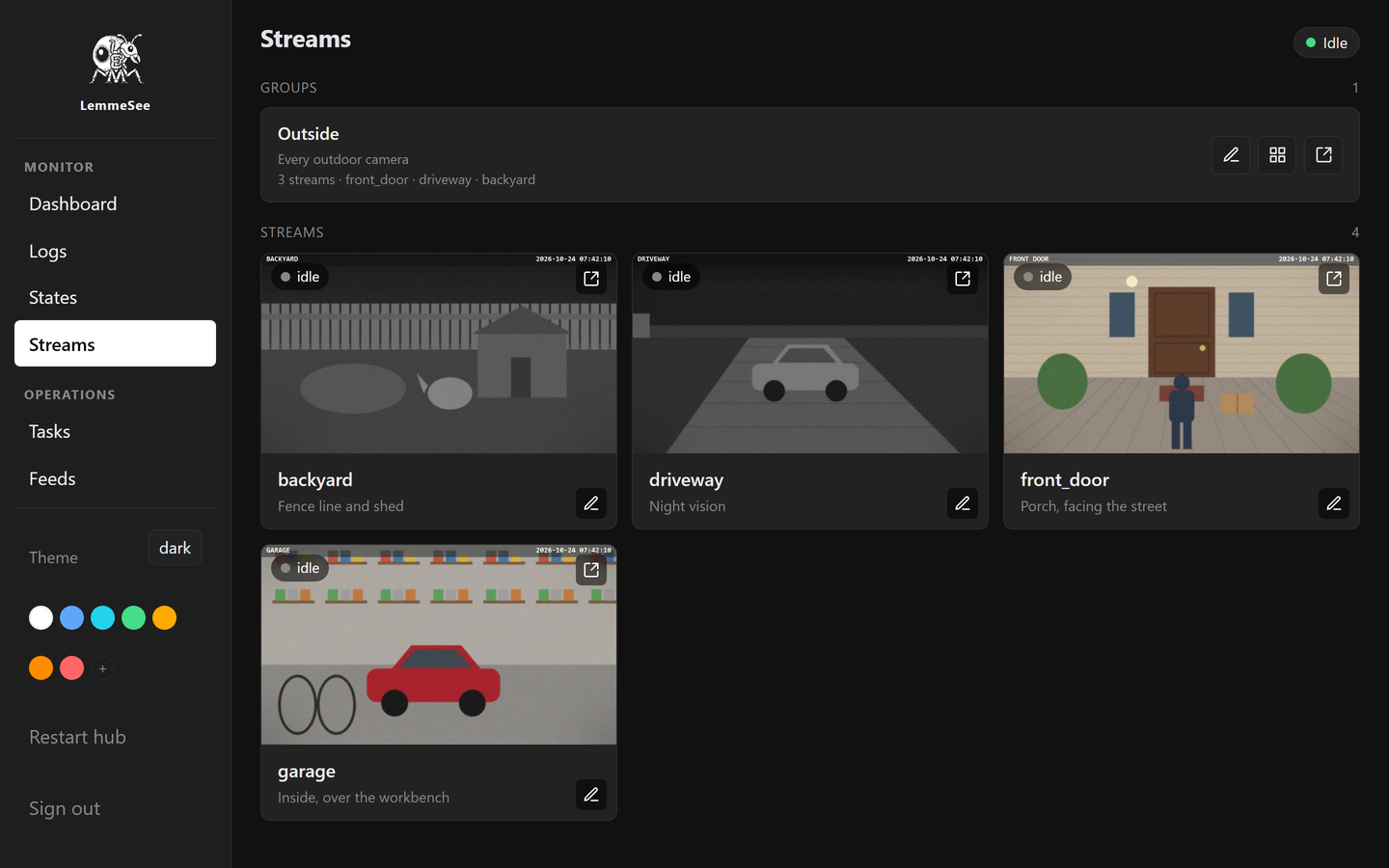
Streams are off until you turn them on. See Video streams for watching them in the app.
Turning streams on
Set up go2rtc with your sources in its own config file first. The hub reads stream names from that file and never changes it. Then add a streams block to the hub's config.json and restart the hub:
"streams": {
  "backend": "go2rtc",
  "go2rtc": {
    "api_url": "http://127.0.0.1:1984",
    "config": "/path/to/go2rtc.yaml",
    "manage_process": true,
    "binary": "/path/to/go2rtc",
    "on_demand": true,
    "idle_timeout_s": 120
  }
}| Setting | Default | Meaning |
|---|---|---|
backend | off | go2rtc turns streams on. off, or no streams block, turns them off and every stream address answers 404. |
api_url | http://127.0.0.1:1984 | Where the hub reaches go2rtc's API. |
config | go2rtc's config file. The hub lists the streams named in it. | |
manage_process | true | true: the hub starts and stops go2rtc itself, using binary and config. false: the hub uses a go2rtc you run yourself at api_url. |
binary | The go2rtc program, when the hub manages it. | |
on_demand | false | With manage_process: start go2rtc on the first viewer instead of at hub startup, and stop it again when nobody is watching. |
idle_timeout_s | 120 | With on_demand: seconds without viewers before go2rtc is stopped. |
When the hub manages go2rtc and can't find the program or its config file, streams stay off and the Streams page shows the error.
The Streams page
The Streams page lists each stream with a preview, its viewer count, and buttons to open it or a snapshot. Users who can edit streams also see each stream's source and an edit button for its settings:
- Private: only users granted this stream can see it.
- Icon and Description: shown for the stream on phones.
Groups
A group shows several streams tiled on one screen, for a camera wall. Groups are defined in streams.json in the hub folder, which also holds the per-stream settings the page saves:
{
  "streams": {
    "porch": {"private": false, "iconUrl": "", "description": "Front porch"}
  },
  "groups": {
    "outside": {
      "label": "Outside",
      "members": ["porch", "driveway"],
      "iconUrl": "",
      "description": "All outdoor cameras"
    }
  }
}
The short form "outside": ["porch", "driveway"] works too. Each viewer sees only the members they're allowed to see, and a group with none left is hidden from them. The Streams page edits a group's icon and description.
Addresses
| Address | Shows |
|---|---|
/streams/<name>/view | One stream, full screen. |
/streams/group/<name> | A group, tiled to fit the screen. |
/streams/<name>/snapshot.jpg | The current frame as a JPEG. |
All of them need a signed-in user who can see the stream. A stream you can't see answers exactly like one that doesn't exist.
Who sees which streams
Public streams are visible to every user unless you revoke streams.public.<name>. A private stream needs a streams.private.<name> grant, and no preset includes private streams, so you grant each one on purpose. The Streams page itself needs the Streams section (included in the Read Only preset); opening a stream's own address needs only access to that stream. See Permissions and grants.
Users who can edit streams reach the whole go2rtc interface through the hub. Everyone else can only watch the streams they're allowed to see.