
Nudges
A nudge is a one-time heads-up. When a Nudge rule matches, it plays its steps once on your phone (a vibration, a sound, a spoken message) and sends the same steps to your wearable. There's no notification to clear and nothing to acknowledge.
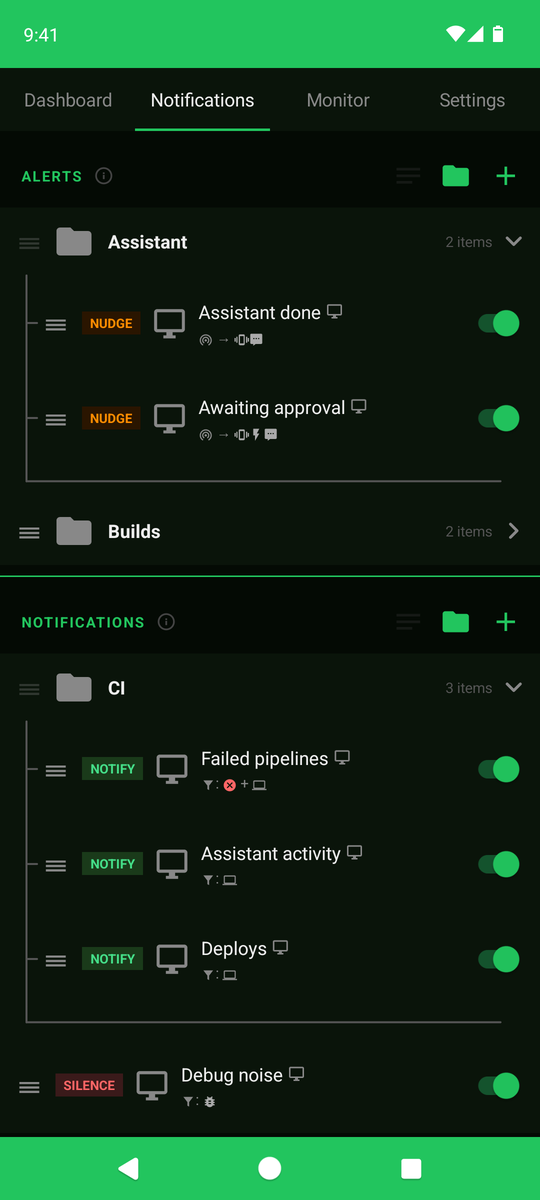
Use nudges when repeating would be unwanted, such as a quick vibration each time a backup finishes. If you need something that keeps going until you respond, use an Alert instead. Think of nudges as an alert that runs once and auto-dismisses.
What sets off a nudge
Nudge rules respond to:
- Pings from a server, such as "disk high" or "deploy finished", when a LemmeSee hub has defined them. See Pings.
- LemmeKnow's built-in pings, such as Server offline or Action requested. The full list is in Filter expressions.
- Pings from a feed: Action requested and Feed options.
- Self-nudges from a Notify rule, when the Nudge rule is in Self-Nudge mode (see below).
- Device conditions or quiet rules, in the Trigger, Toggle, and Wake Up modes described in Notification rules.
Creating a Nudge rule
On the Notifications tab, tap + in the Alerts section and choose Nudge. Nudge rules always listen to LemmeKnow, so there's no app to pick.
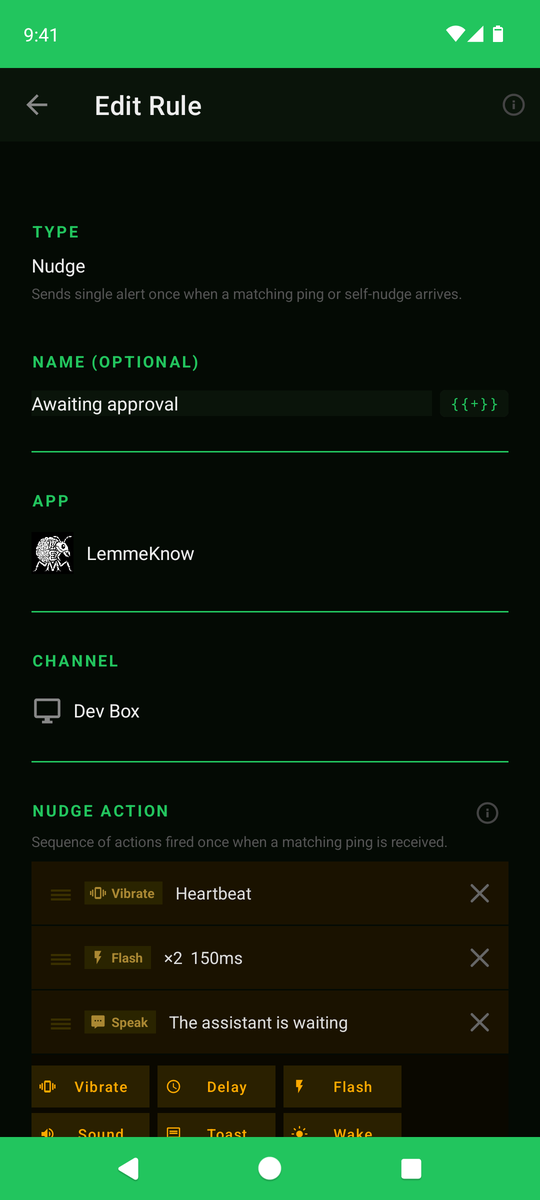
Channel. Choose Any Server, Any Feed, or a specific server or feed. A channel is required.
Filters. Nudge rules filter on Ping, Source and Message. With a server, the Ping filter shows its pings by name so you can pick one: the built-in ones, plus any your hub has labelled.
Nudge action. The steps to play, in order, once. The step types and their settings are the same as for alerts and are listed on the Alerts page.
Mute.
| Option | Effect |
|---|---|
| None | Steps play on the phone and the wearable |
| Device | Nothing plays on the phone; custom action steps still run once however |
| Wearable | The nudge isn't sent to your wearable |
Test under the step list plays the steps once right away, without saving. After saving, Send Test Nudge sends a test through the whole rule.
Self-Nudge
Self-Nudge lets a Nudge (or Alert) rule react to anything a Notify rule can match: another app's notification, a server message or a feed item.
- Create a Notify rule that matches what you're interested in, and set its Mode to Nudge. Instead of posting a notification, it emits a nudge. You can also achieve this through the Relay mode.
- Create a Nudge rule and set its mode to Self-Nudge. Its filters see the matched message's Message, Header, Detail, Source, Field, and Link, the level buttons, and Nudged by, which is the name of the Notify rule that sent it.
As an example, a Notify rule named Doorbell matches your doorbell app's notifications in Nudge mode, and a Self-Nudge rule with Nudged by equals Doorbell speaks "Someone's at the door".
This is the only way for Nudge rules to fire on app notifications being received.
How nudges interact with other rules
- If a quiet rule assigned to a Nudge rule, or to its folder, is active when it would fire, the nudge is skipped entirely. It isn't saved for later like Alerts are. See Quiet rules.
- If one ping sets off both an Alert rule and a Nudge rule, the alert wins and the nudge is skipped apart from its custom action steps which still fire exactly once.
- If two or more Nudge rules would execute, only the first one does. In this scenario any nudge rule that is not the first on listed will NOT run its custom action steps.
- Each nudge appears in Recent Activity on the Dashboard with a Nudge badge.
On your wearable
Unless the rule's Mute setting is set to Wearable, the nudge and its steps are also sent to your wearable, which plays it once. See Alerts on your wearable.